New · Now on the App Store

Every subscription,
on one wall.

Subwall hangs everything you pay for on a 3D wall. See what’s due this week, get a heads-up before every renewal and find out where your money really goes.

Download on theApp StoreSee how it works

Free · iPhone and iPad · iOS 26 · No account

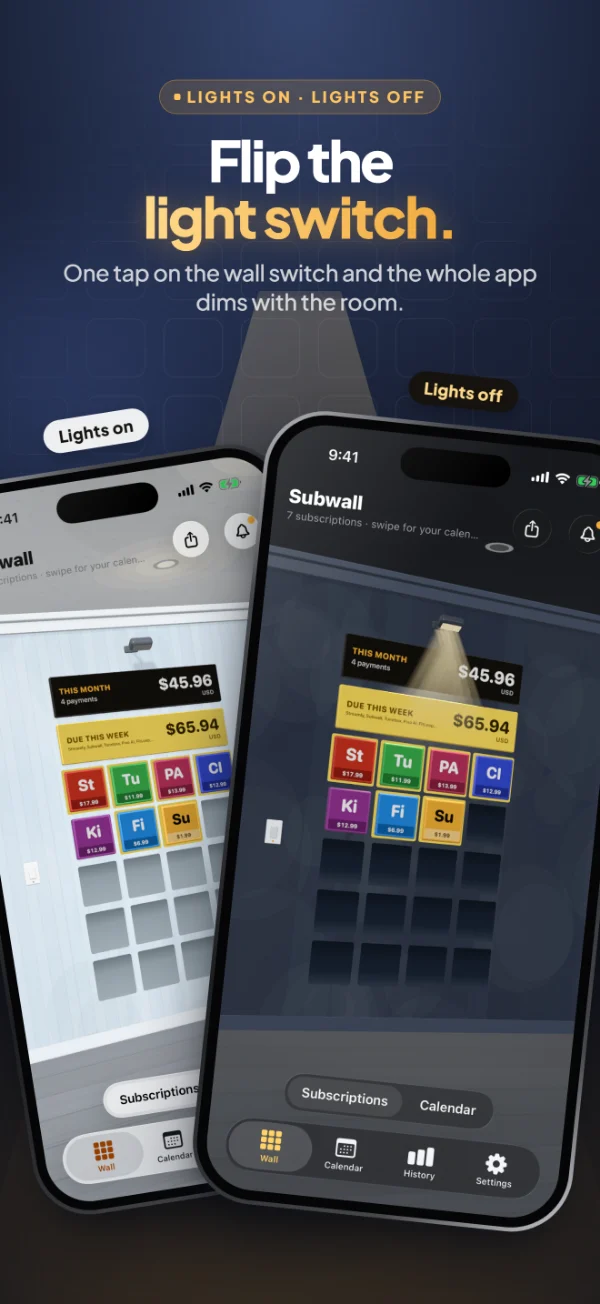
Go on, flip the switch.Just like in the app, the room follows.

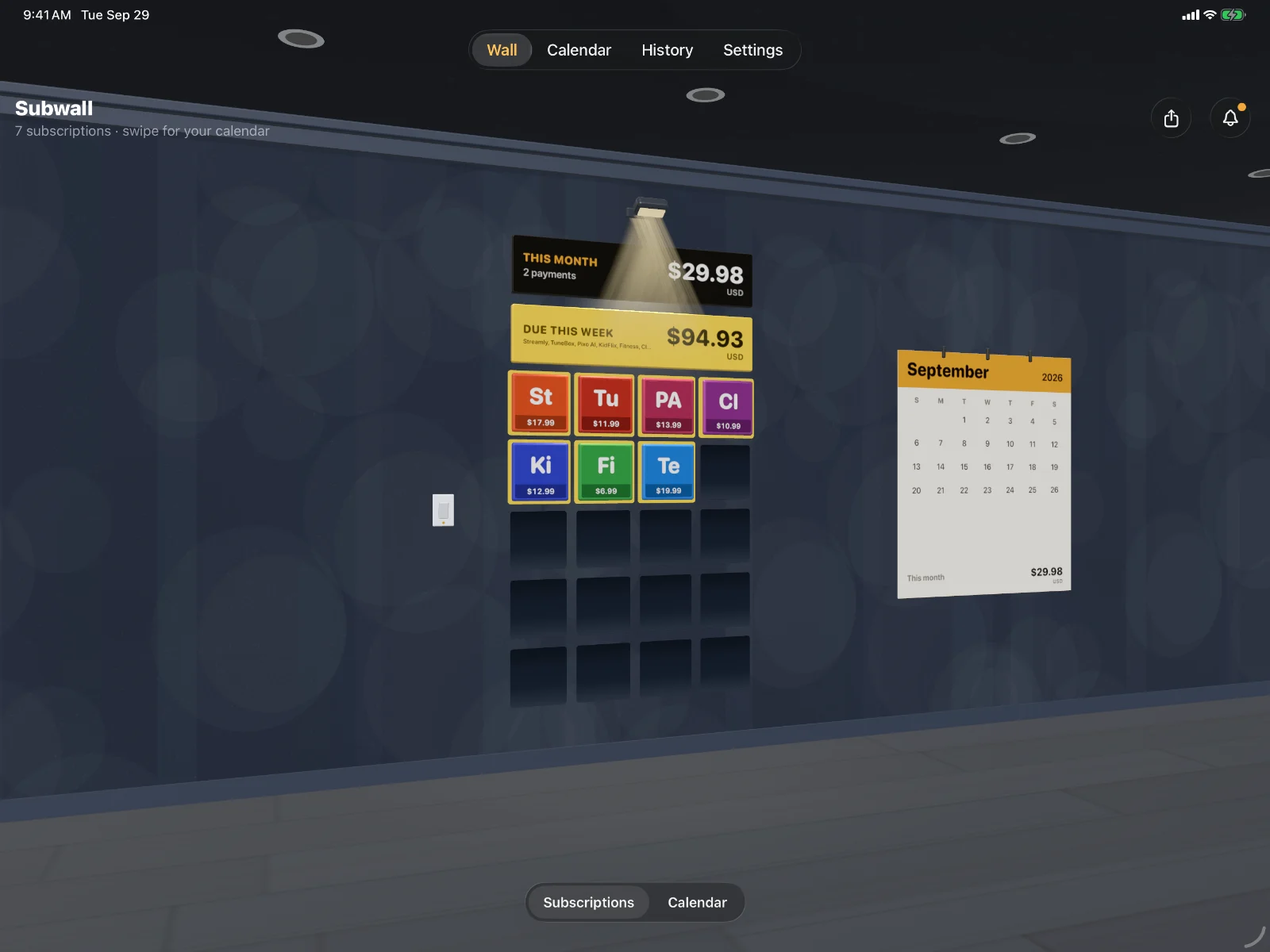
Subwall on iPad with the lights off: the tile wall, this month’s total and a paper calendar
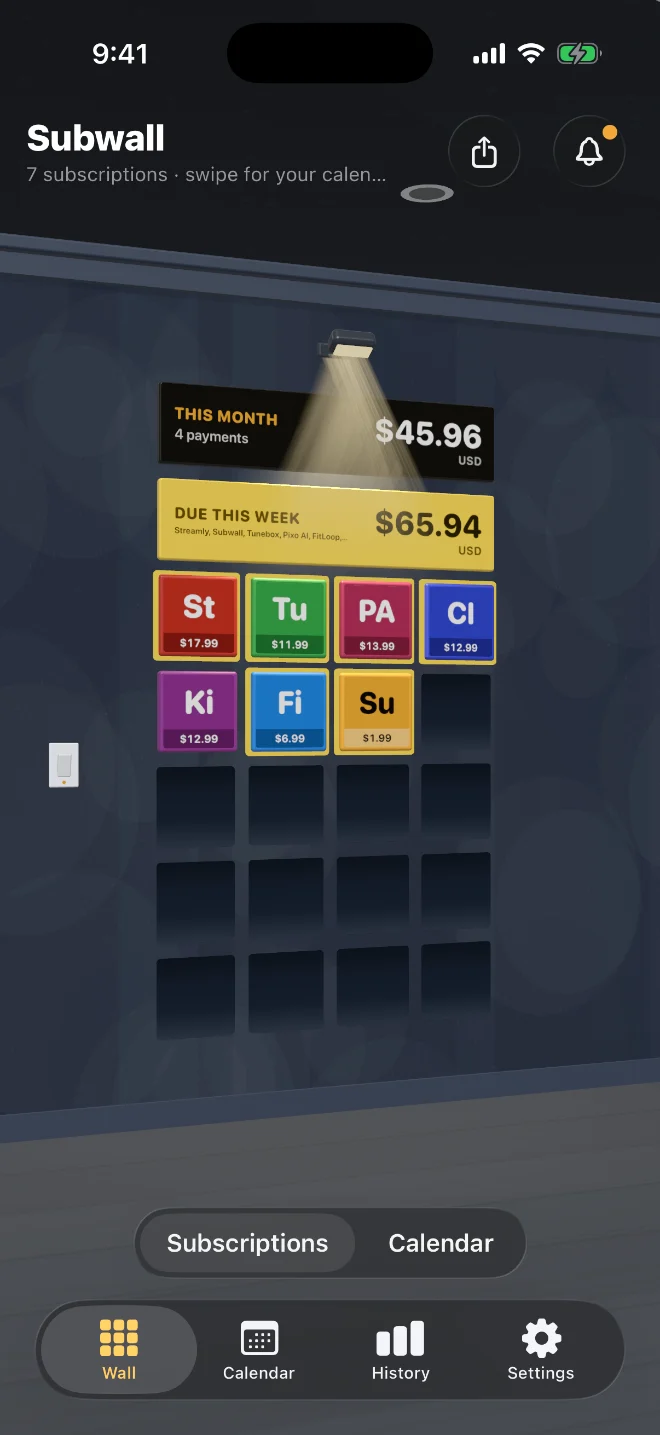
Subwall on iPhone with the lights off
Reminders before every renewal What’s due this week Any currency Know which card pays No account No ads or tracking Works offline iPhone and iPad Home and Lock Screen widgets
Three steps

Set it up once. Never get surprised.

It takes a couple of minutes to put up what you pay for. After that, Subwall does the remembering.

  1. 01

    Hang what you pay for

    Pick from 270+ services, with the popular ones in your country first, or add anything else with your own photo or colour. Each one becomes a tile on your wall.

  2. 02

    Get a heads-up

    A reminder before every renewal, at the time you choose, with how much and which card. Free trials get one two days before they end.

  3. 03

    See what it adds up to

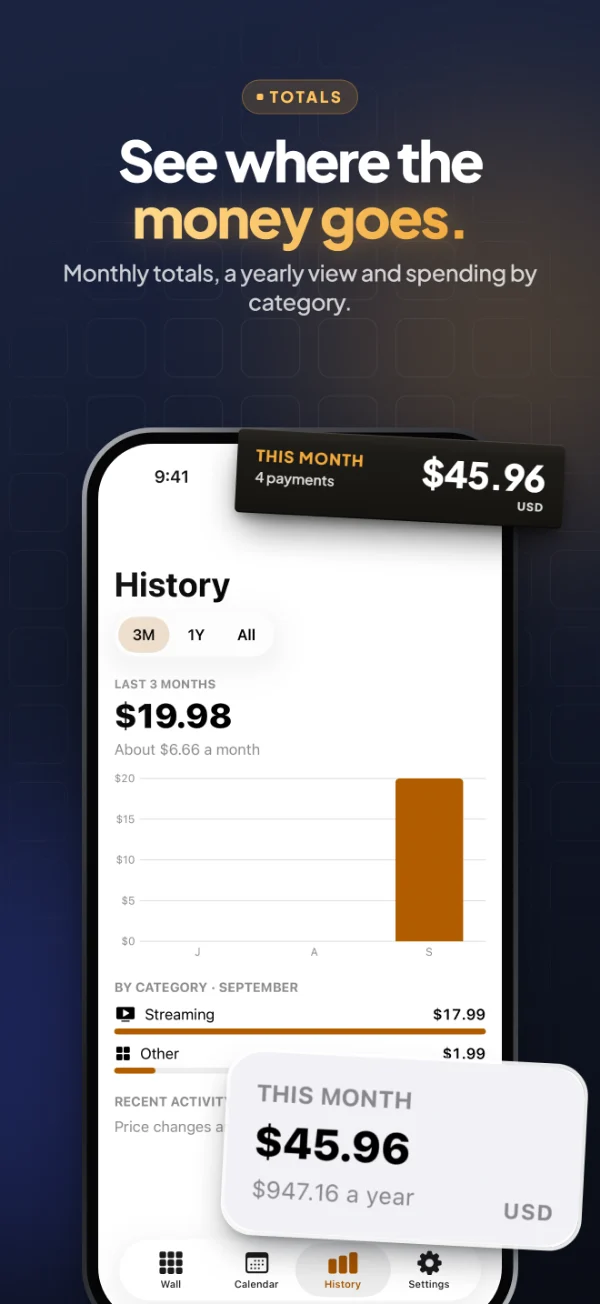
    This month’s total and what’s due this week sit right above your tiles. History shows the money month by month and by category.

How it works

Walk up to your wall.

Subwall isn’t a list you scroll past. It’s a room you step into, with everything you pay for in plain sight.
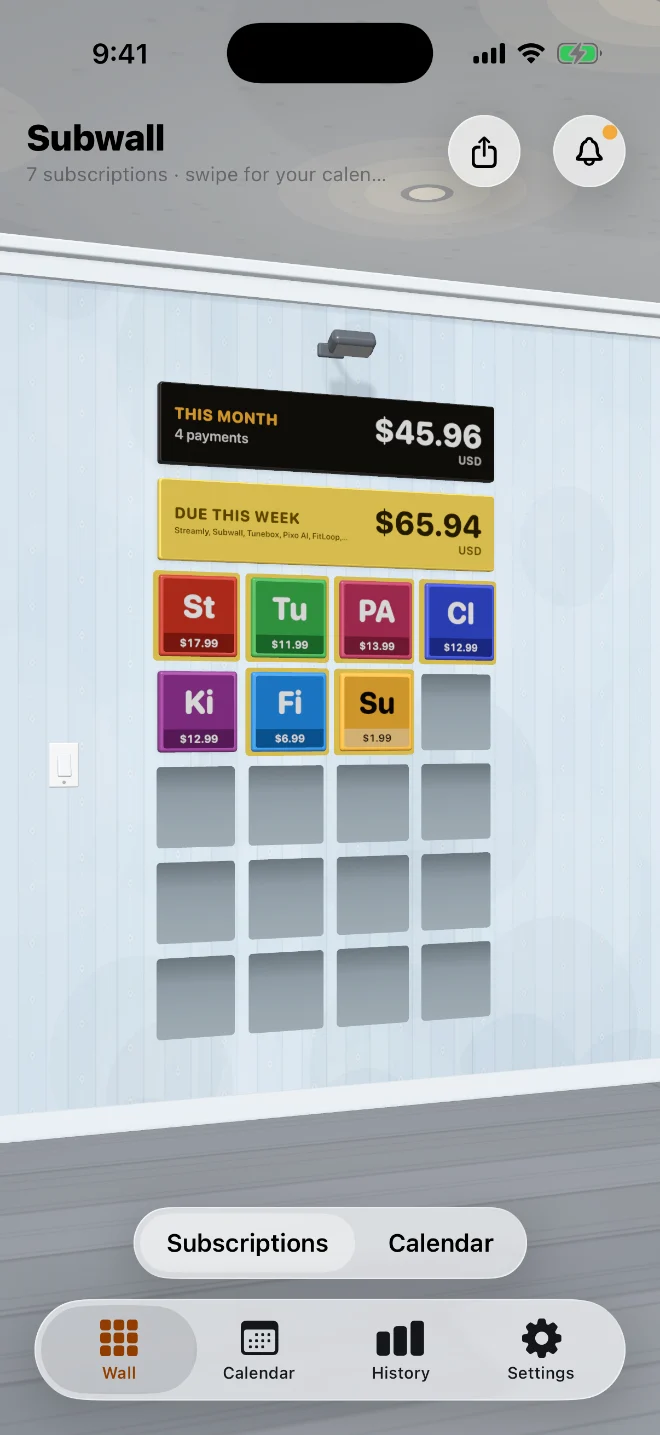
Your room: Every subscription hangs on the wall
01 / 05 · Your room
01Your room

Every subscription hangs on the wall

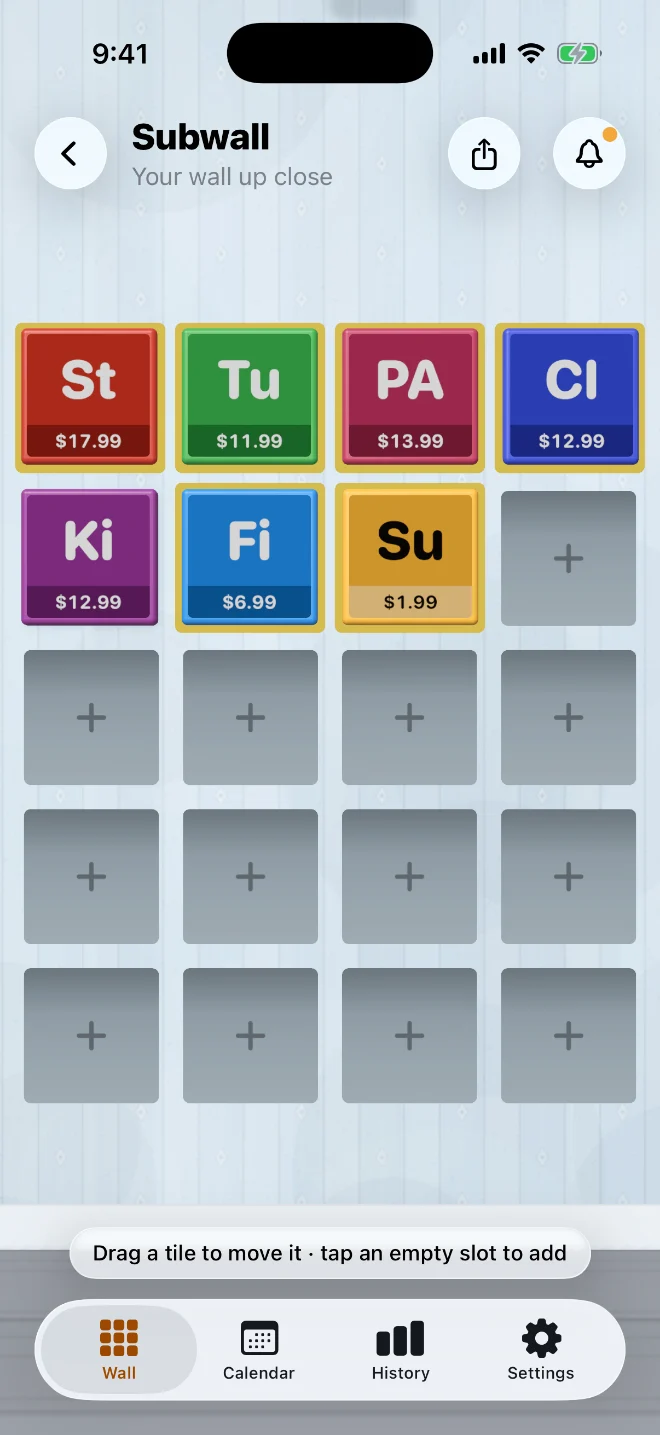
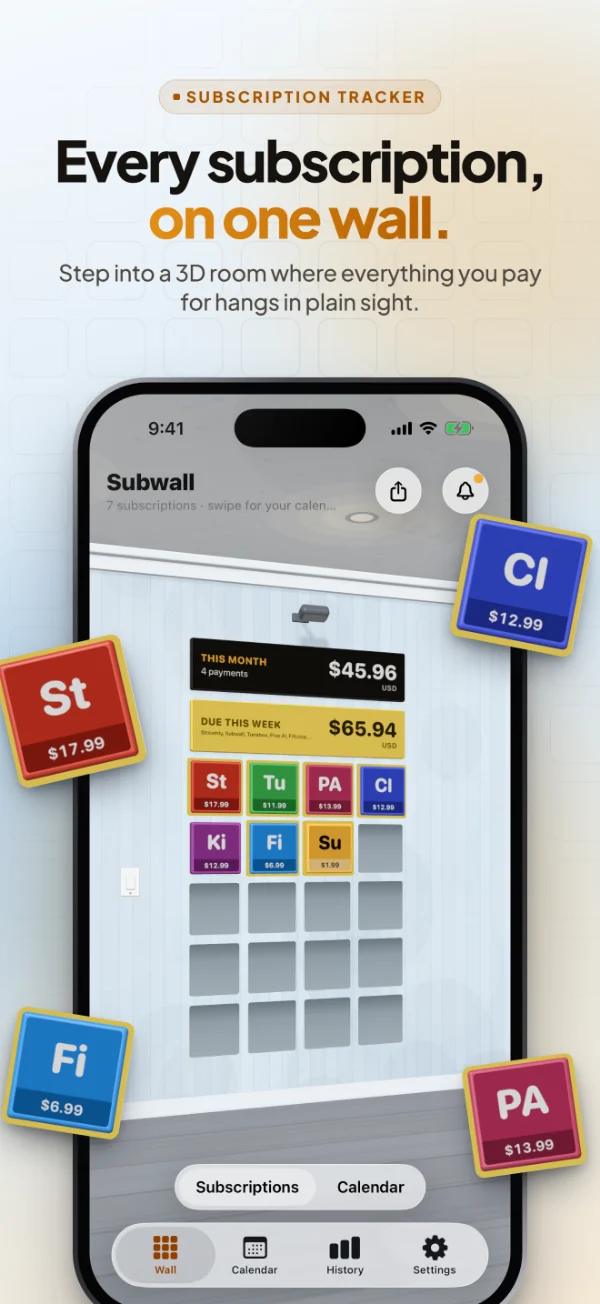
Each thing you pay for is a tile, with this month’s total and what’s due this week right above it. Tiles due in the next seven days get a yellow border.

Your room: Every subscription hangs on the wall
02Walk up close

Arrange it your way

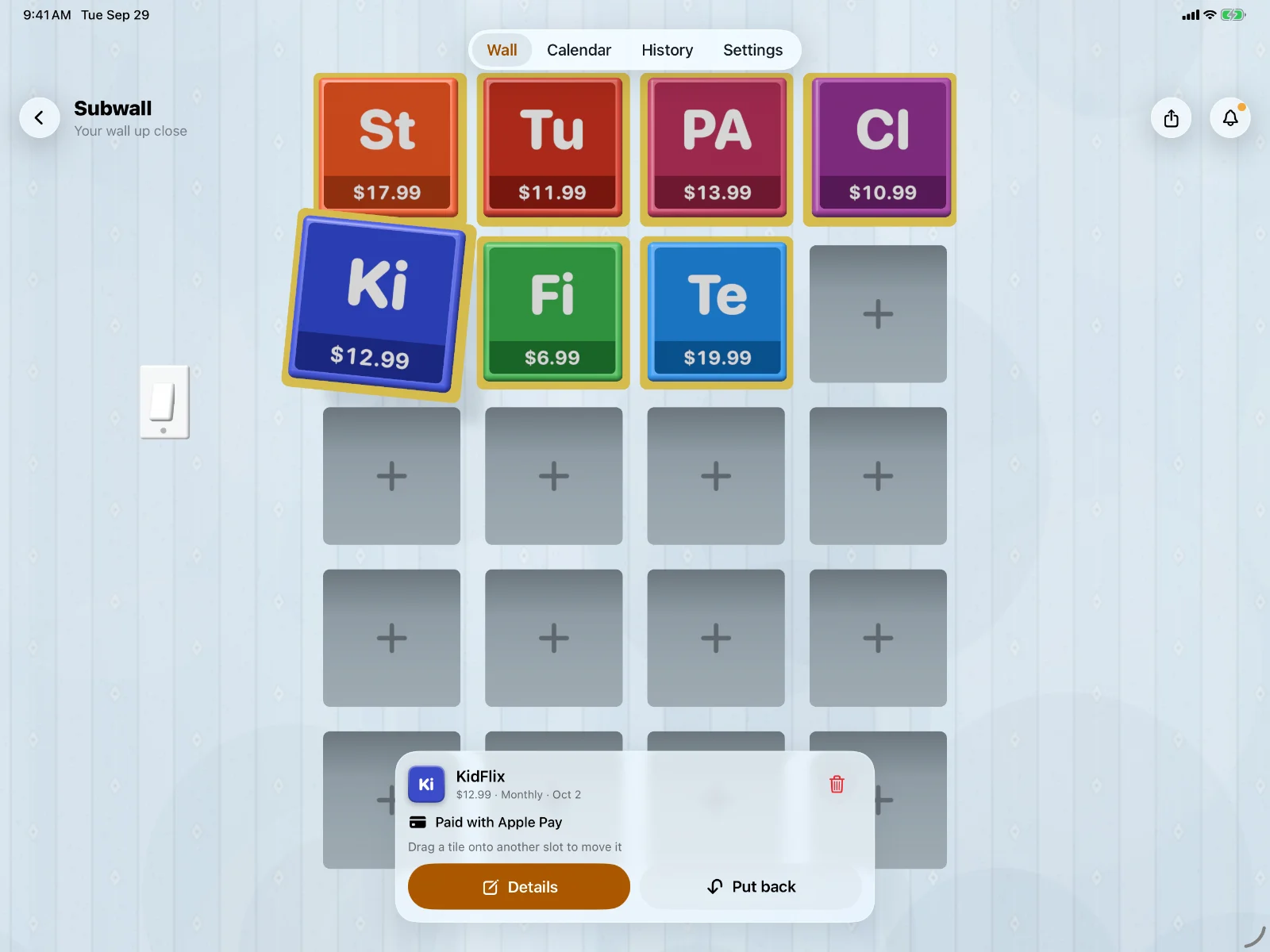
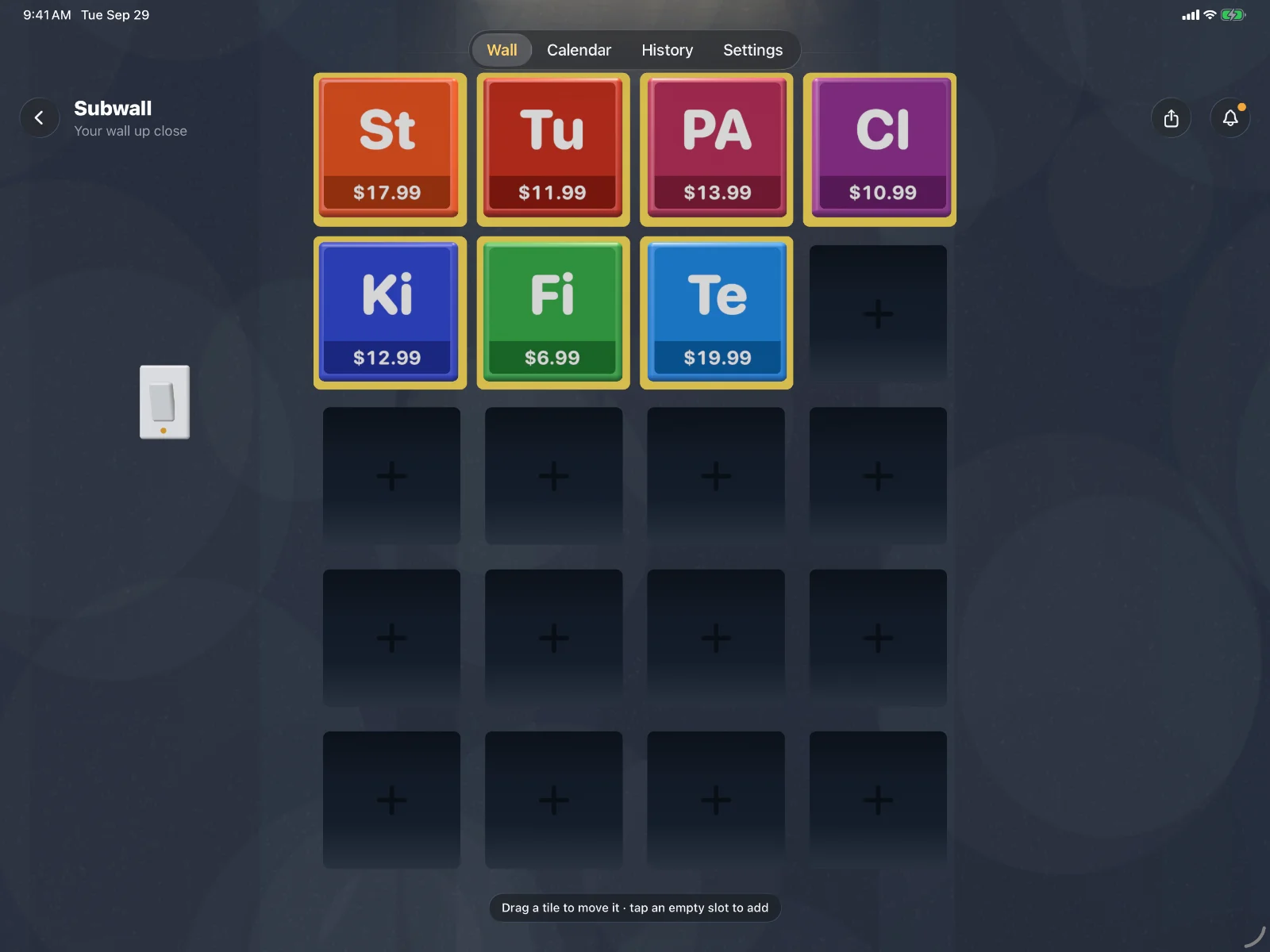
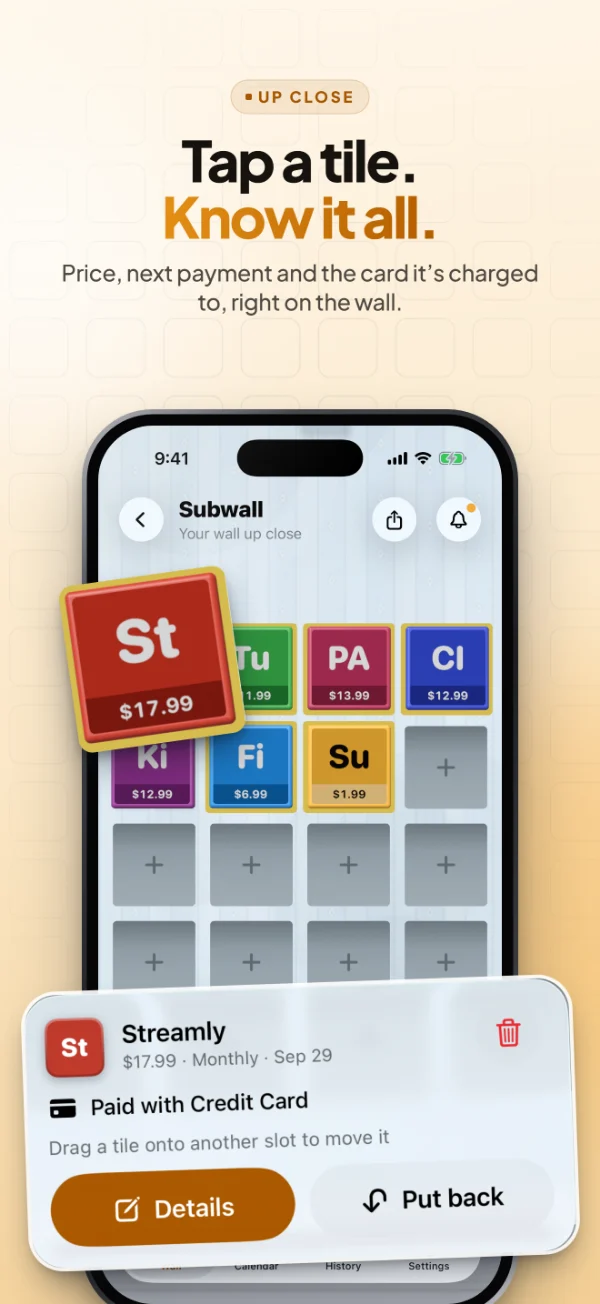
Tap the wall to walk up to it. Drag a tile onto another slot to move it, or tap an empty slot to add a subscription right there.

Walk up close: Arrange it your way
03Pick up a tile

Everything about it, in one tap

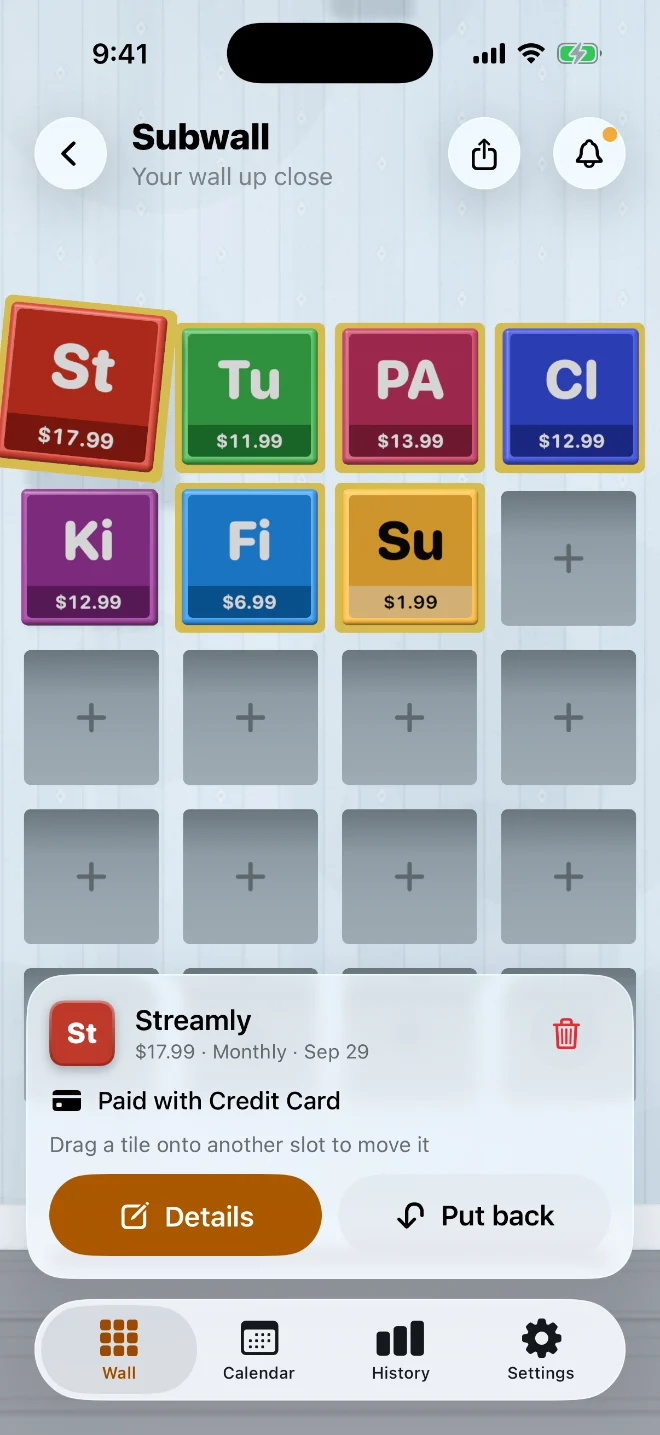
Lift a tile to see its price, how often it renews, the next payment and the card it’s charged to.

Pick up a tile: Everything about it, in one tap
04Slide along the wall

A paper calendar, next to your tiles

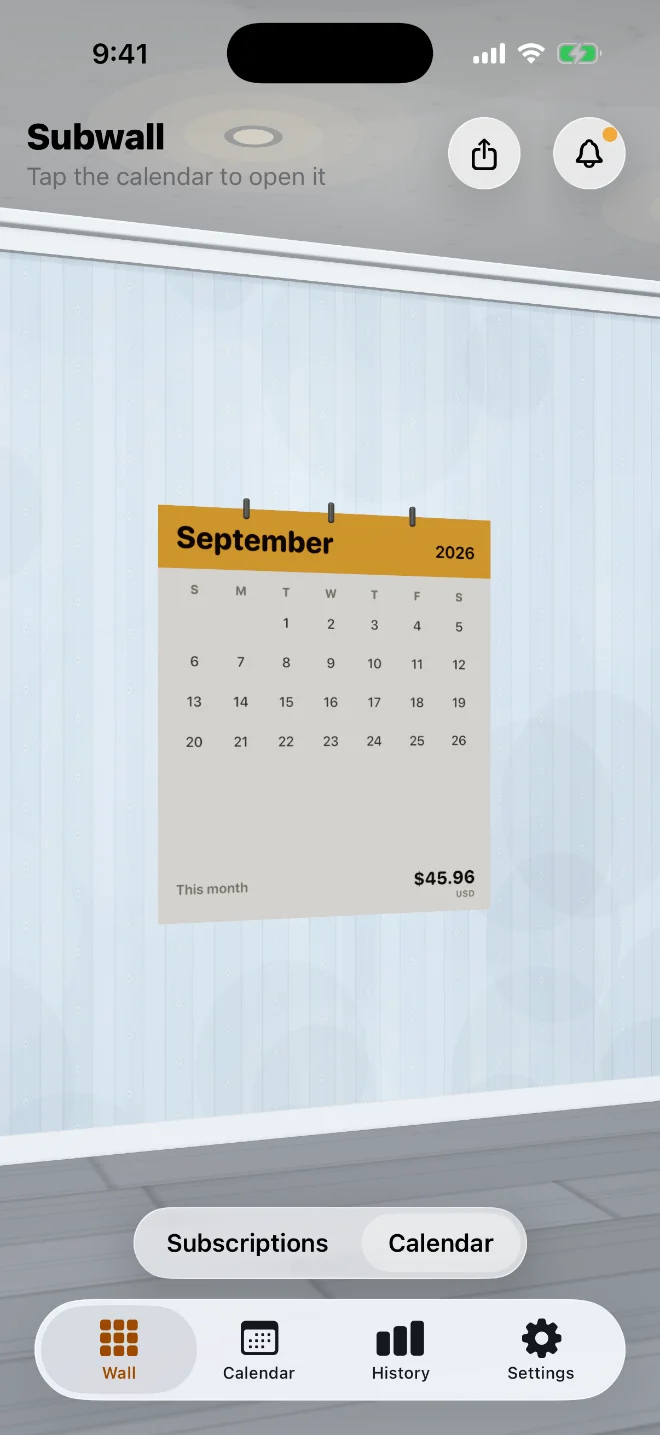
Swipe along the wall to a calendar with this month’s total. Tap it to open the full Calendar.

Slide along the wall: A paper calendar, next to your tiles
05Plan the month

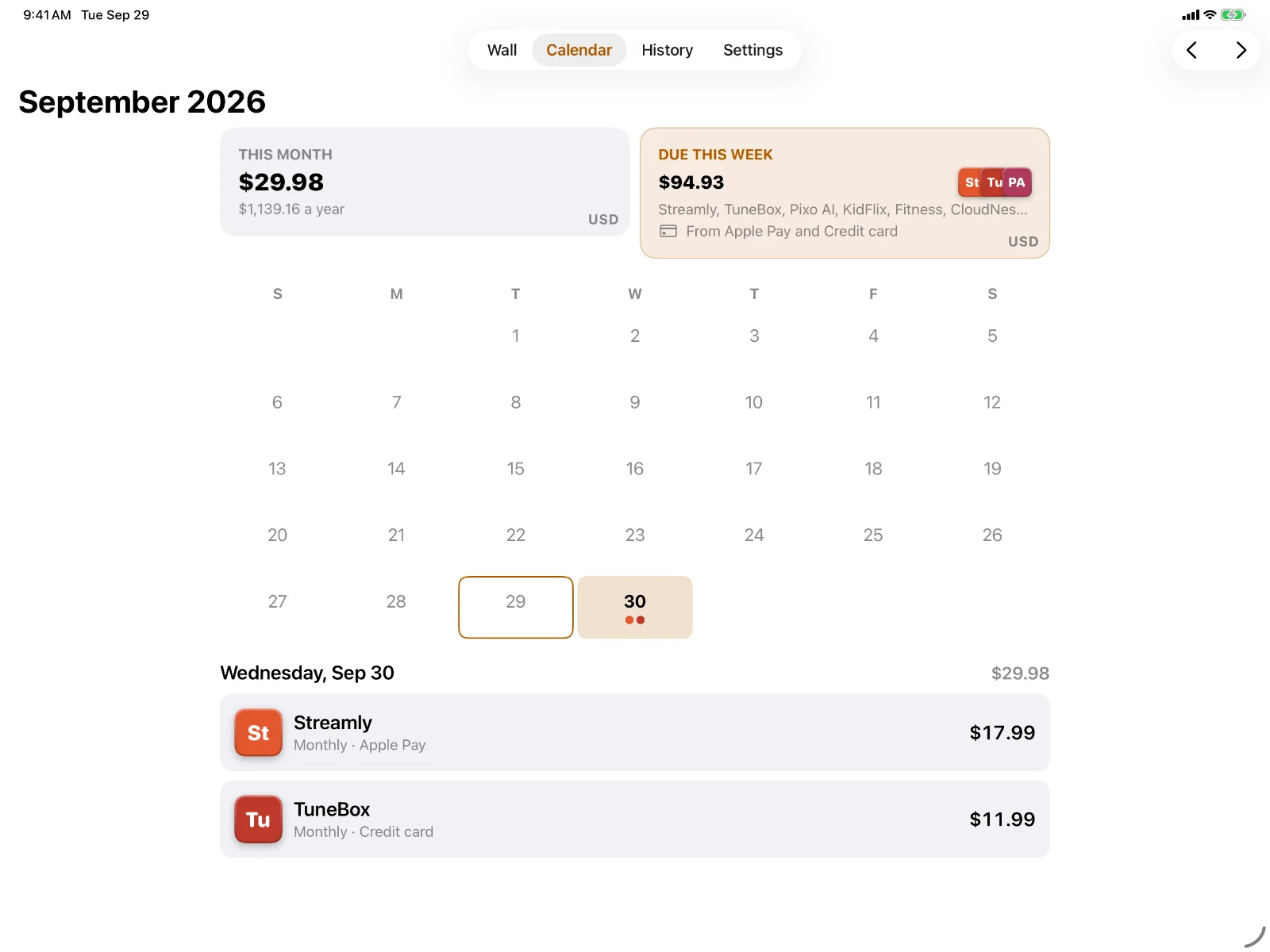
Know what’s coming, day by day

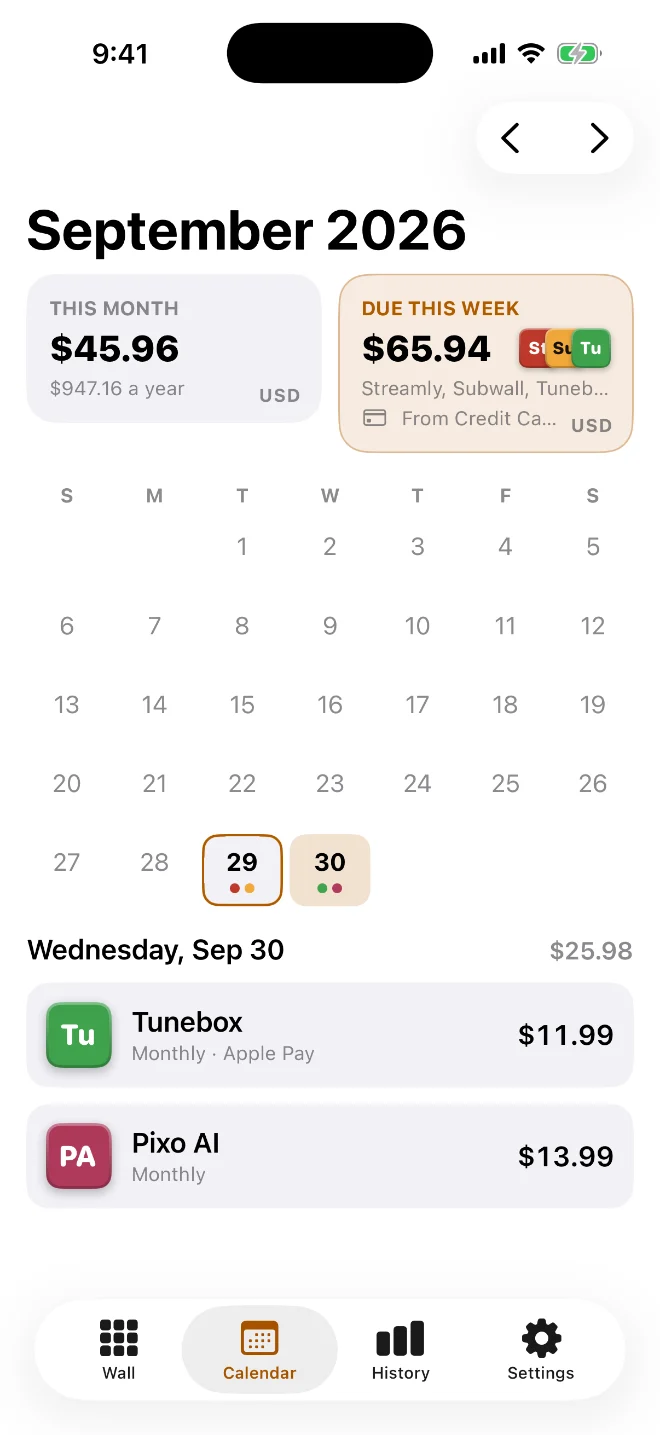
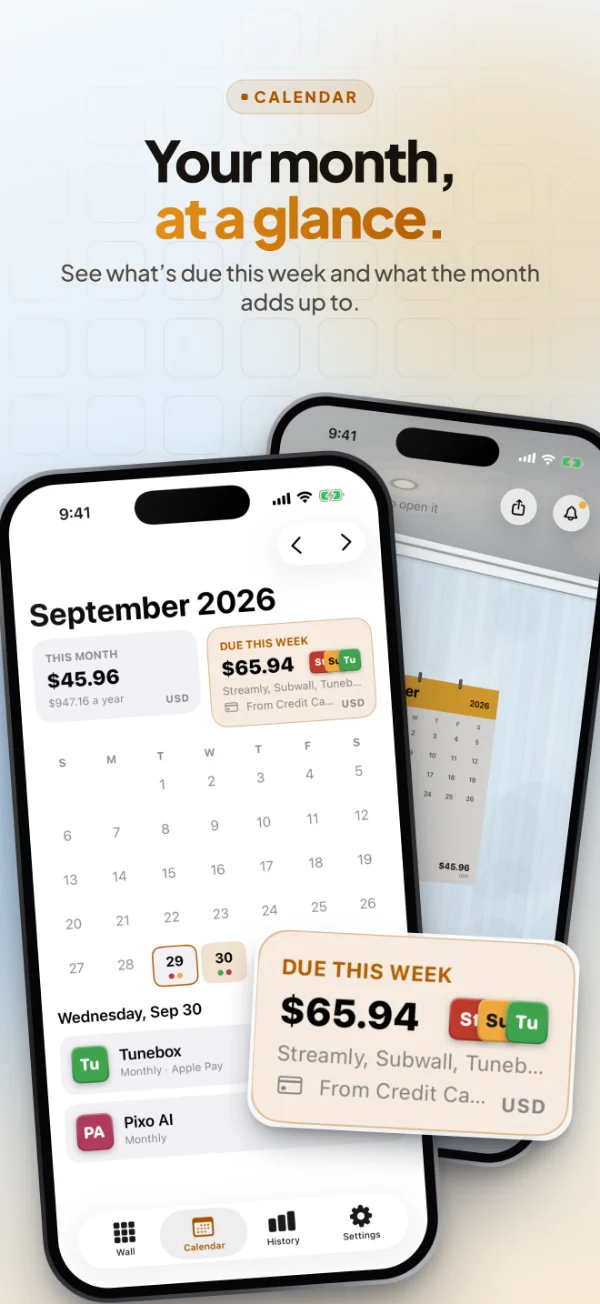
Every payment day is dotted in its service’s colour. Tap a day to see exactly what renews and what it adds up to.
Plan the month: Know what’s coming, day by day
Features

Built around the money that leaves every month.

Reminders, a calendar, any currency and a history of every price change, all on one wall.

Reminders

No more surprise charges.

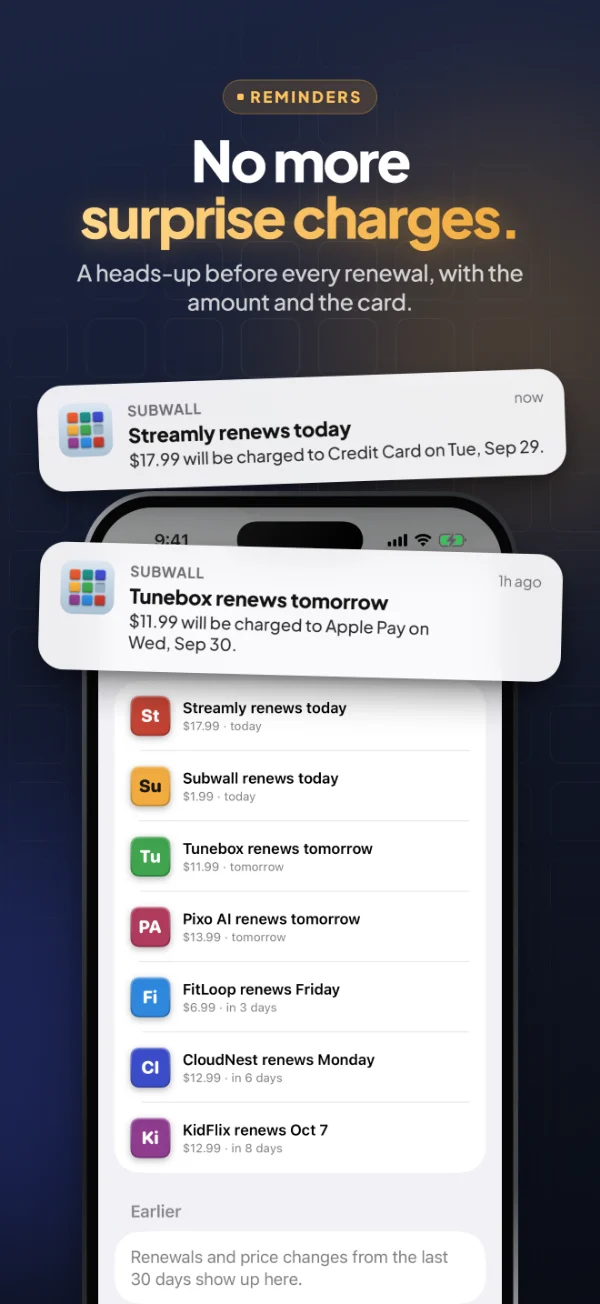
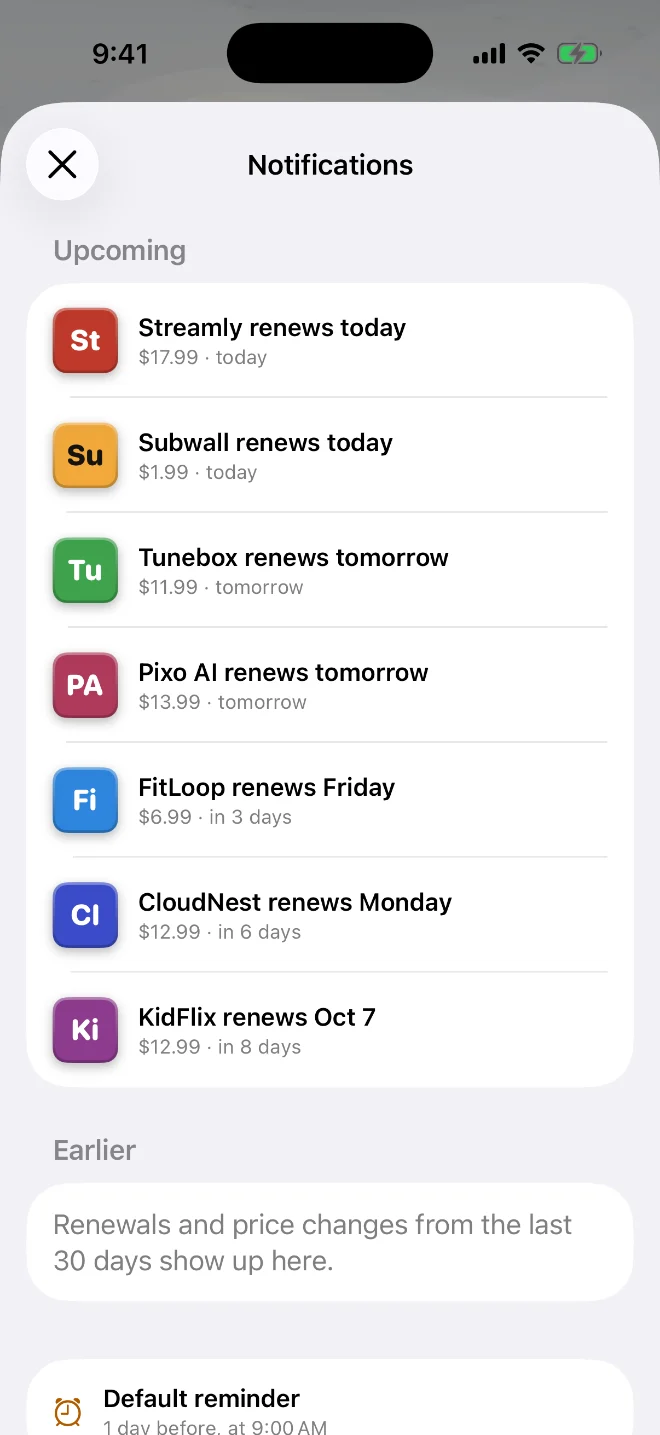
A heads-up before every renewal and before a free trial ends, at the time you choose, with the amount and the card.

The Notifications screen: upcoming renewals for the week
This week

See what’s due before it’s due.

Tiles due in the next seven days get a yellow border, and this week’s total sits right on the wall.

Any currency

Pay in pesos, dollars and euros?

Each subscription keeps its own price and currency. Totals add up in your main currency at daily exchange rates.

Paid with

Know which card pays.

Note the card or wallet behind each subscription, so you can top up the right account before the charge.

Private by design

Your money, your phone.

No account, no bank connection and no server. Your subscriptions stay on your iPhone or iPad.

  • No sign-in
  • No ads or tracking
  • Works offline
  • Data stays on device
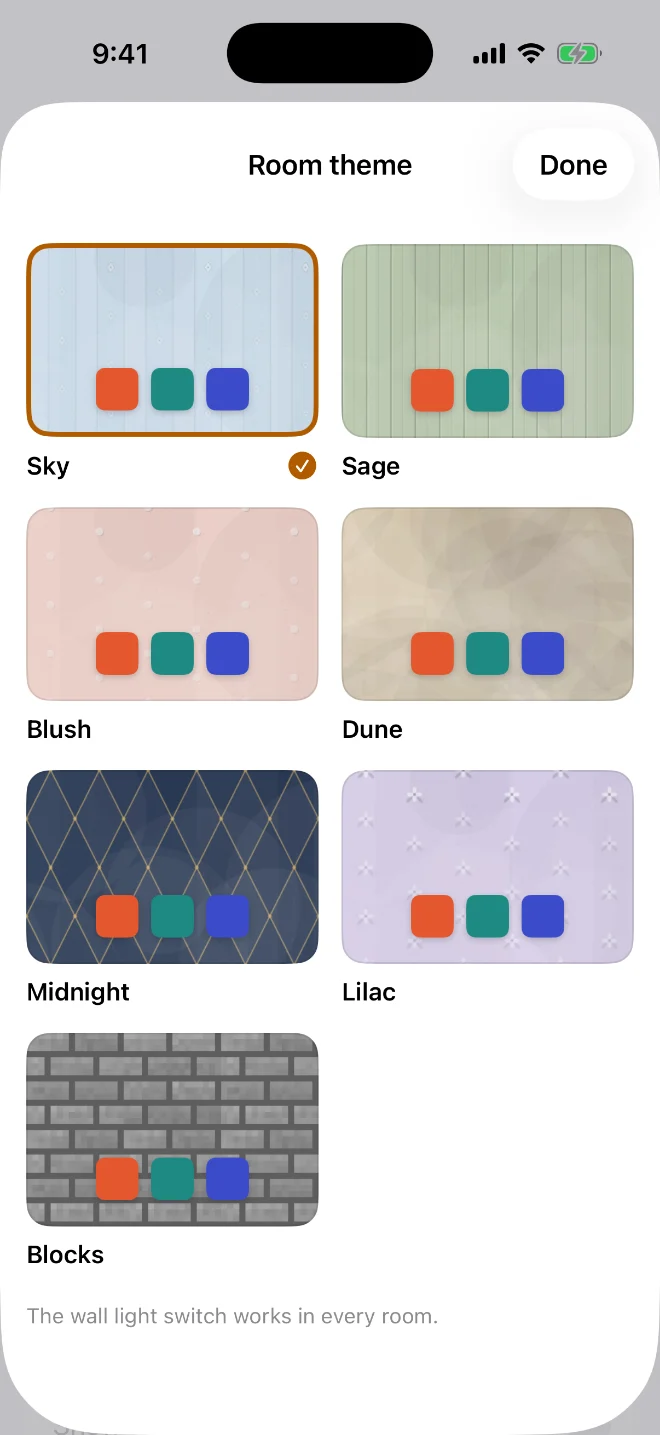
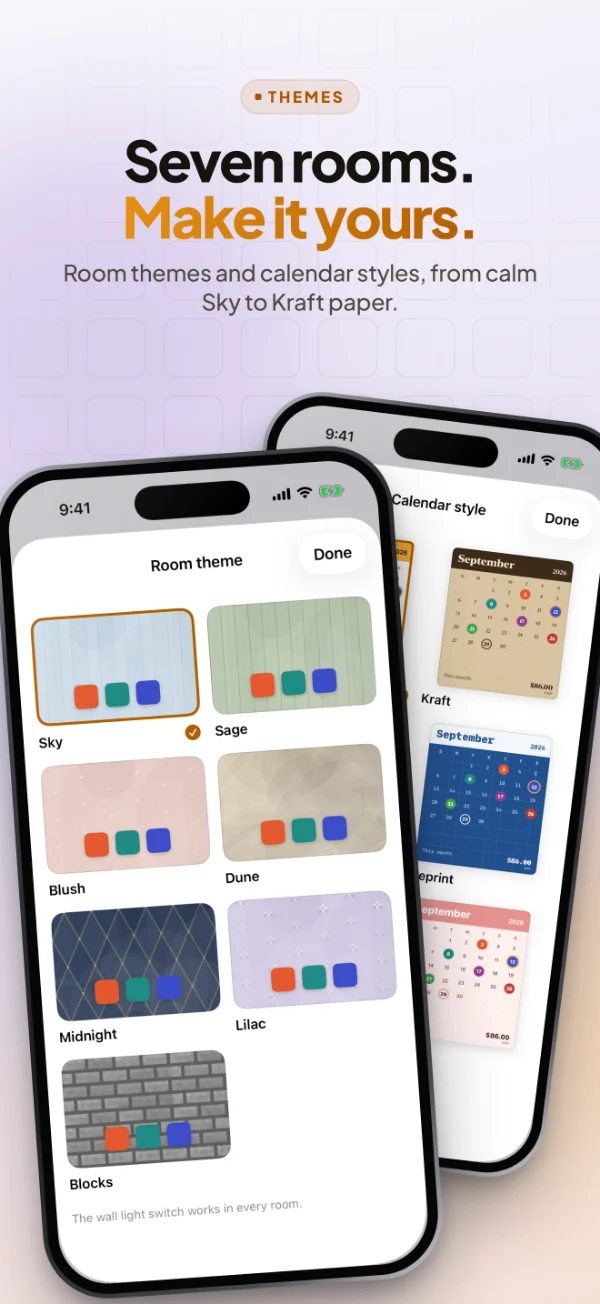
Room themesPRO

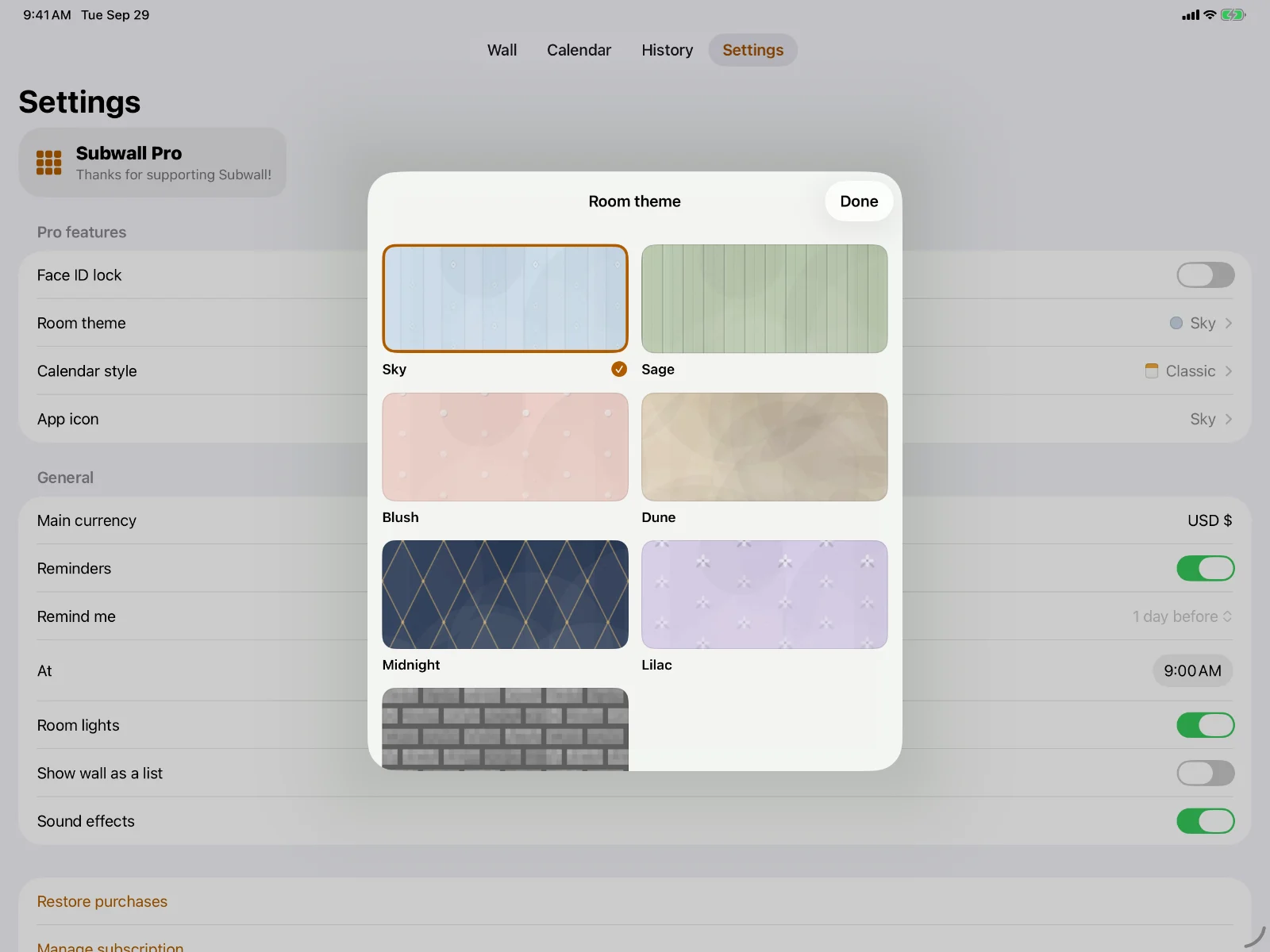
Seven rooms. Make it yours.

Calm Sky comes free. Pro adds Sage boards, white-painted Brick, Dune limewash, a gold Midnight lattice, Lilac flowers and a wall built from 3D pixel Blocks.

Midnight
The Room theme picker with all seven rooms
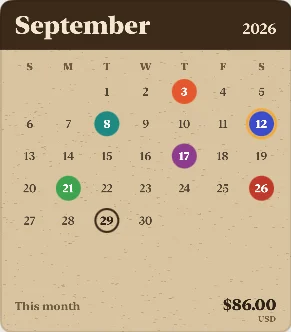
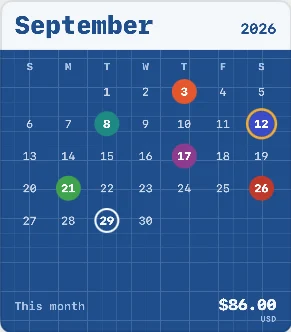
Calendar stylesPRO

Hang a calendar you love.

Kraft paper, Blueprint, Botanical, Midnight, Blush and more for the paper calendar on your wall.

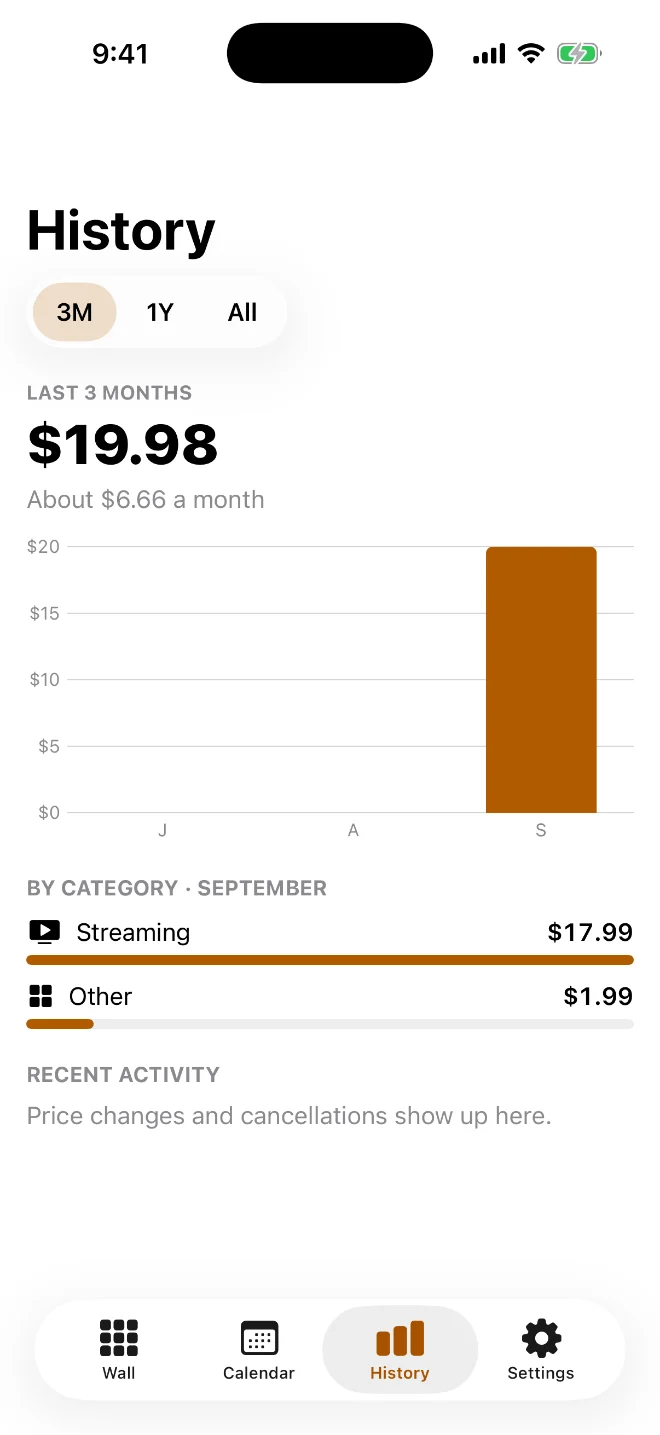
History

See where the money goes.

Spending month by month and by category, every price change, and how much you’ve saved since cancelling.

History: spending over the last three months and by category
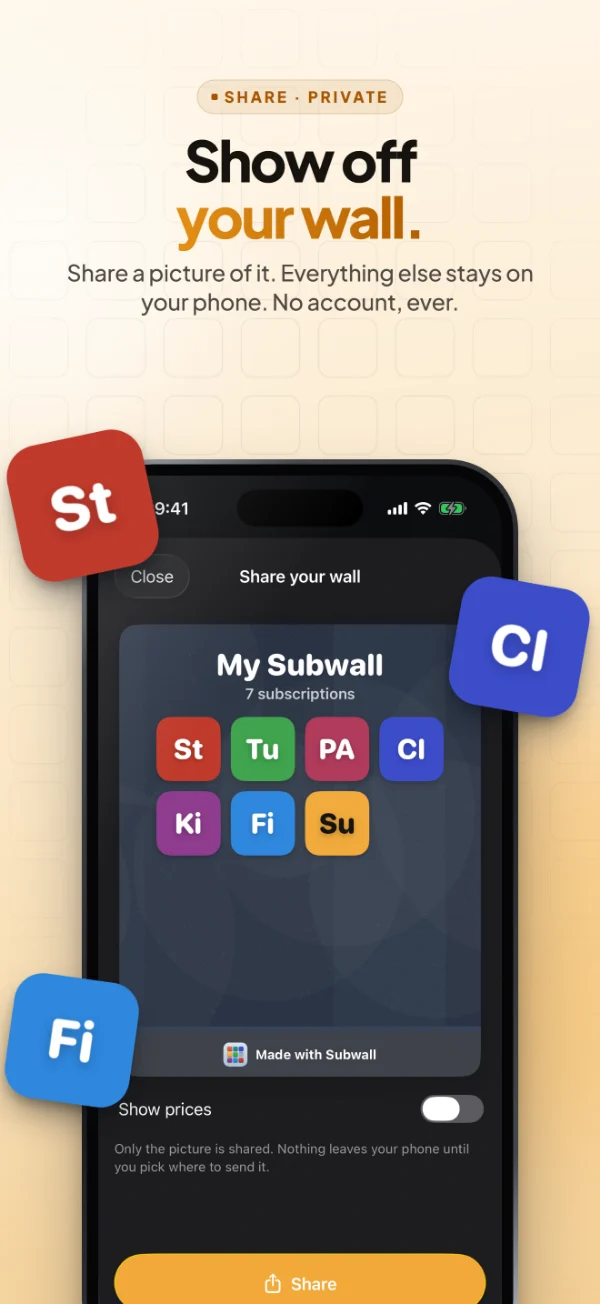
Share

Show off your wall.

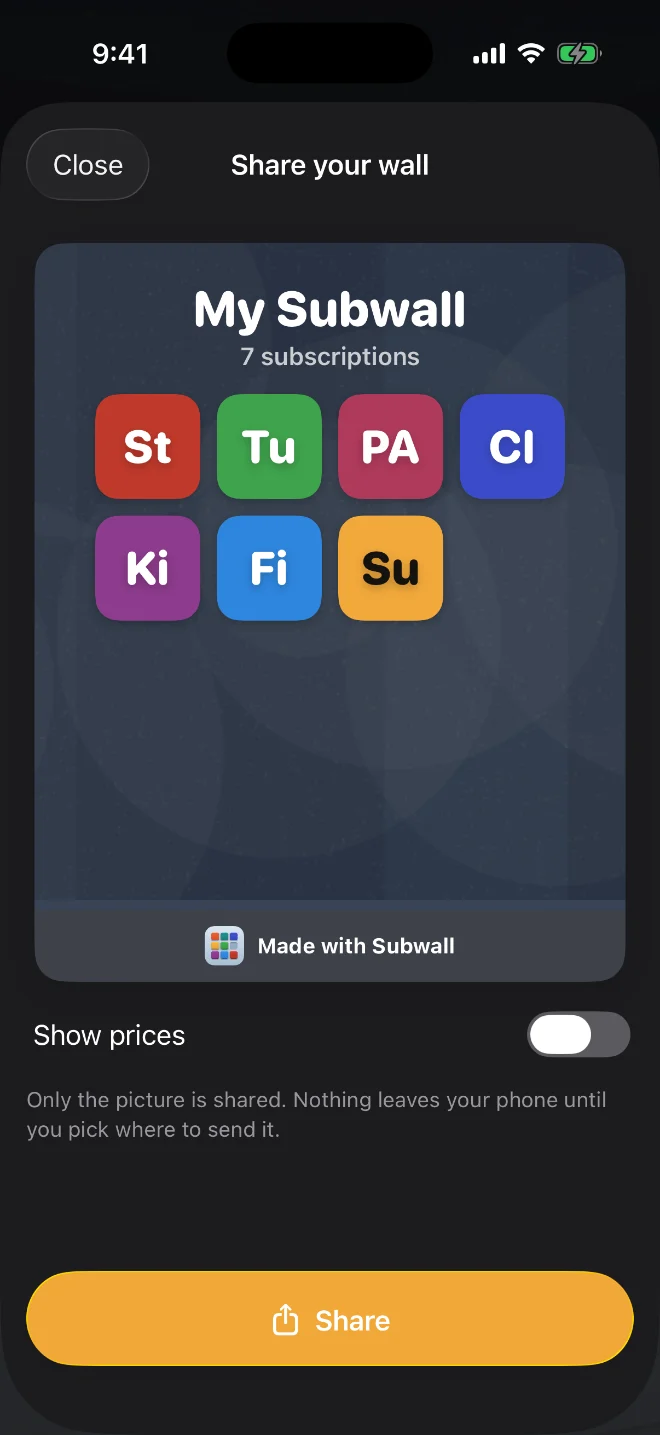
Turn your wall into a clean picture for Instagram or Messages. Prices stay hidden unless you show them.

Share your wall: a picture of your tiles, made with Subwall
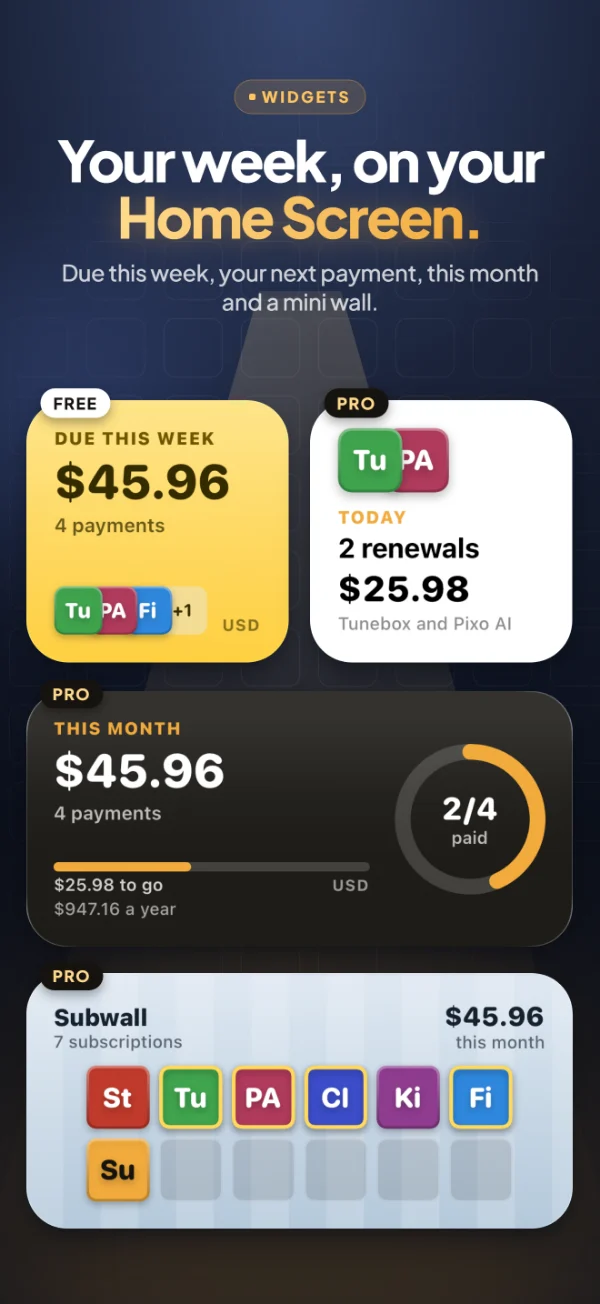
Widgets

Your week, on your Home Screen.

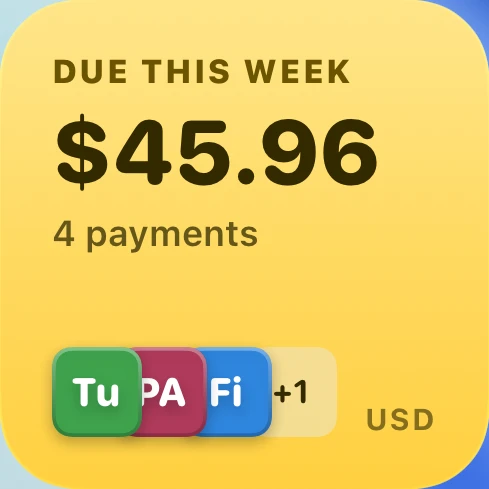
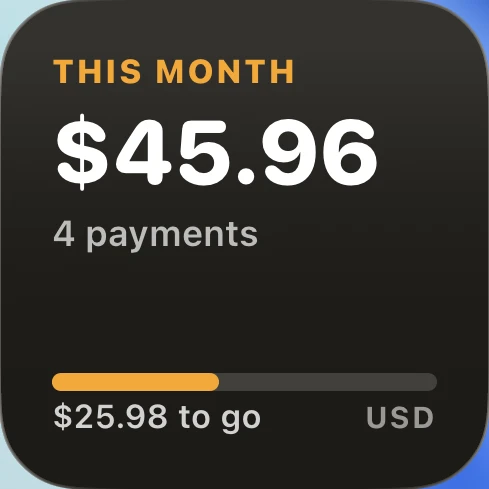
See what’s due without opening the app. Widgets update when you change something and at midnight, and a tap takes you straight to your wall.

The Due this week widget: $45.96, 4 payments
0+services in the catalog
0rooms to choose from
0calendar styles
0accounts, ads or trackers
iPad

A wall that fills the big screen.

Subwall is made for iPad too: a full-size room in landscape or portrait, and in Split View. Your subscriptions stay on each device, and Pro works on all of them with the same Apple ID.

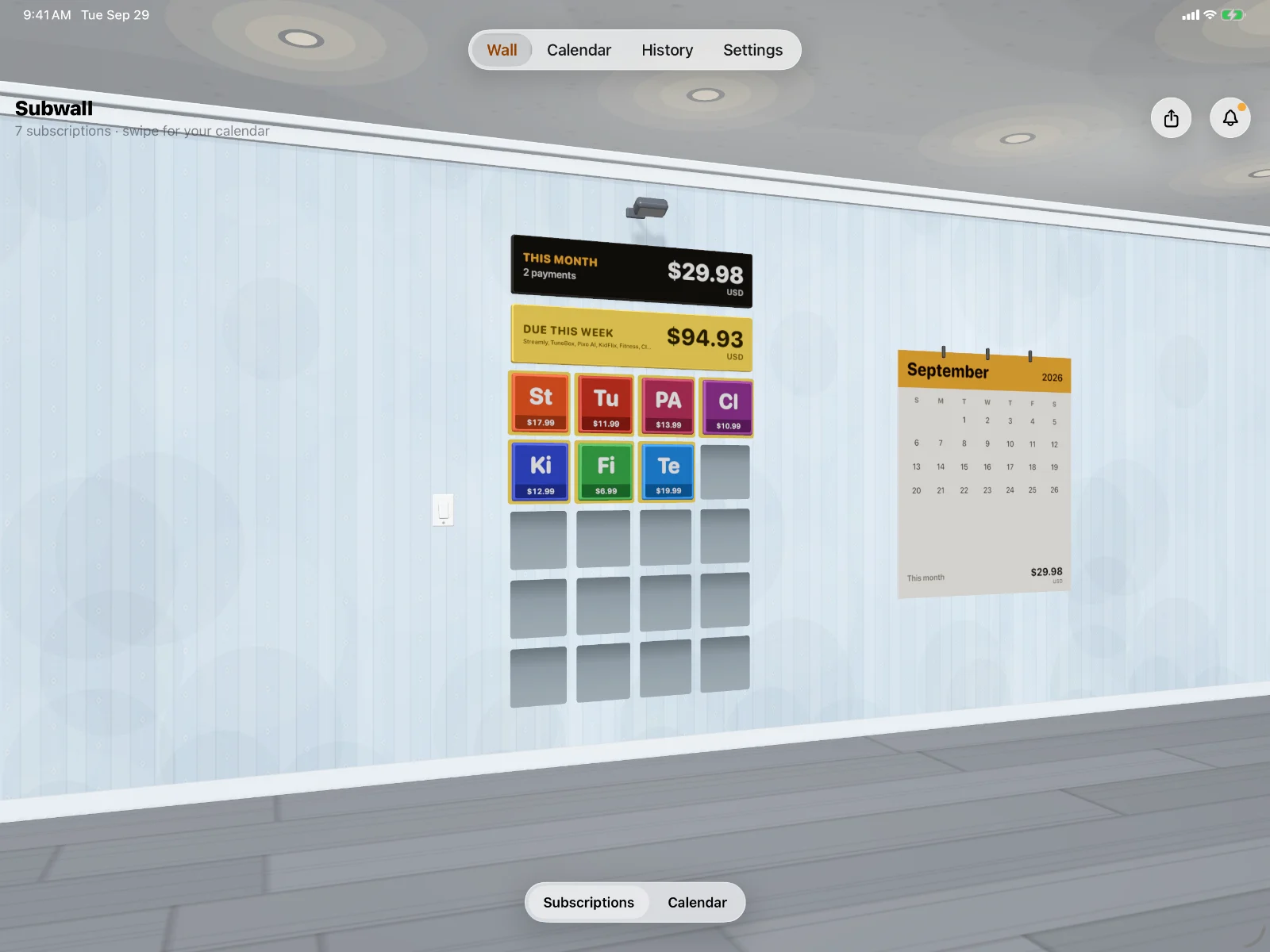
Subwall on iPad: The wall
Subwall on iPhone, lights off
The Subwall app icon
Now on the App Store

Subwall: Subscription Tracker

Every subscription, on one wall. Free to download, for iPhone and iPad.

Price
Free
Pro is optional
Category
Finance
Age rating
4+
Works on
iPhone and iPad
iOS 26 or later
Size
5.1 MB
Developer
Christian Tania
Pricing

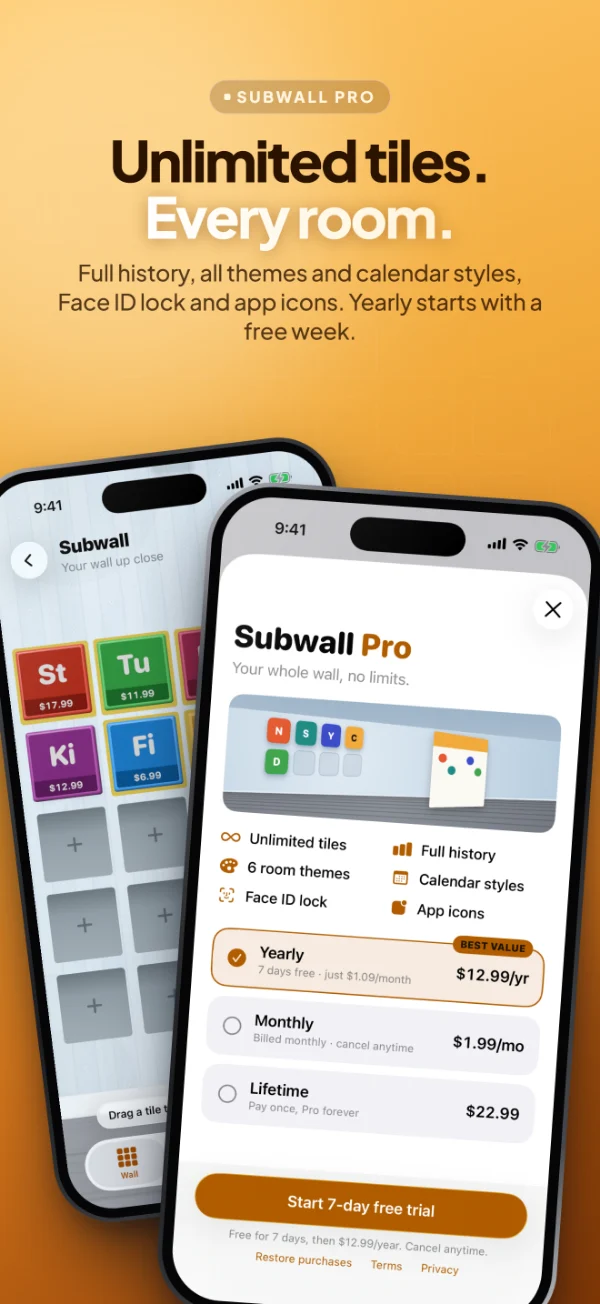
Free to start. Pro when you’re ready.

The free plan covers up to 7 subscriptions. Pro unlocks everything, yearly, monthly or once. The App Store charges in your local currency.

Free

Freeforever

Everything you need to keep track of what you pay for.

  • The 3D wall, calendar and reminders
  • Up to 7 subscriptions
  • Every currency, per subscription
  • 3 months of history
  • Share your wall
  • Due this week widget
Download free

Pro Monthly

Monthlyin your currency

All of Pro, month to month. Paid from the first day, cancel anytime.

  • Everything in Pro Yearly
  • No yearly commitment
  • Cancel anytime in Settings
Subscribe

Lifetime

One-time pricein your currency, on the App Store

Pay once and keep every Pro feature forever.

  • Everything in Pro
  • Pay once, never again
  • Future Pro updates included
Get Lifetime
FAQ

Questions, answered.

Everything else is on the Support page.

Still stuck?

Write to Christian Tania. Most emails get an answer within a day or two.

Email support

Yes. The free plan includes the 3D wall, the calendar, reminders and 3 months of history for up to 7 subscriptions. Subwall Pro removes the limit and adds full history, more widgets, six room themes, Face ID lock and app icons.

Still have a question?

The Support page answers the rest, from reminders to restoring Pro. Or write to us: we read every message.

Hang your first tile tonight.

Add the three subscriptions you pay for most, and see this week’s payments before they happen.

  • Free to start
  • No account
  • iPhone and iPad